I run Home Assistant to automate stuff at home, and since a few years, I’ve also added snapcast to the mix as a way to provide an audio stream to the whole house. Snapcast is a really nice piece of software that does the heavy lifting of synchronizing audio streams for multiple end devices with speakers.
For years I’ve had this setup:

Service architecture
This allows to have the audio from radio stations (via mpd), Spotify (via raspotify) and Airplay streamed to all speakers throughout the house. Next to the speakers I have RaspberryPi Zero 1 + 2 devices with the snapcast client, and with home-soldered DAC chip, wired to the actual boxes. This setup works, is good enough - but not as minimal as I’d like.
I always dreamt of being able to port snapcast client’s code over to ESP8266 or ESP32 which are really cheap, but this task isn’t trivial and I never had enough time and C skills to actually do that.
However, I found Andriy Malyshenko aka Sonocotta who has not only ported it, but also supplies suitable hardware - for consumers but also dev boards. This is everything pre-built, I just need to connect the speakers and flash the software.
Specifically, I ordered 3 louder-esp32:
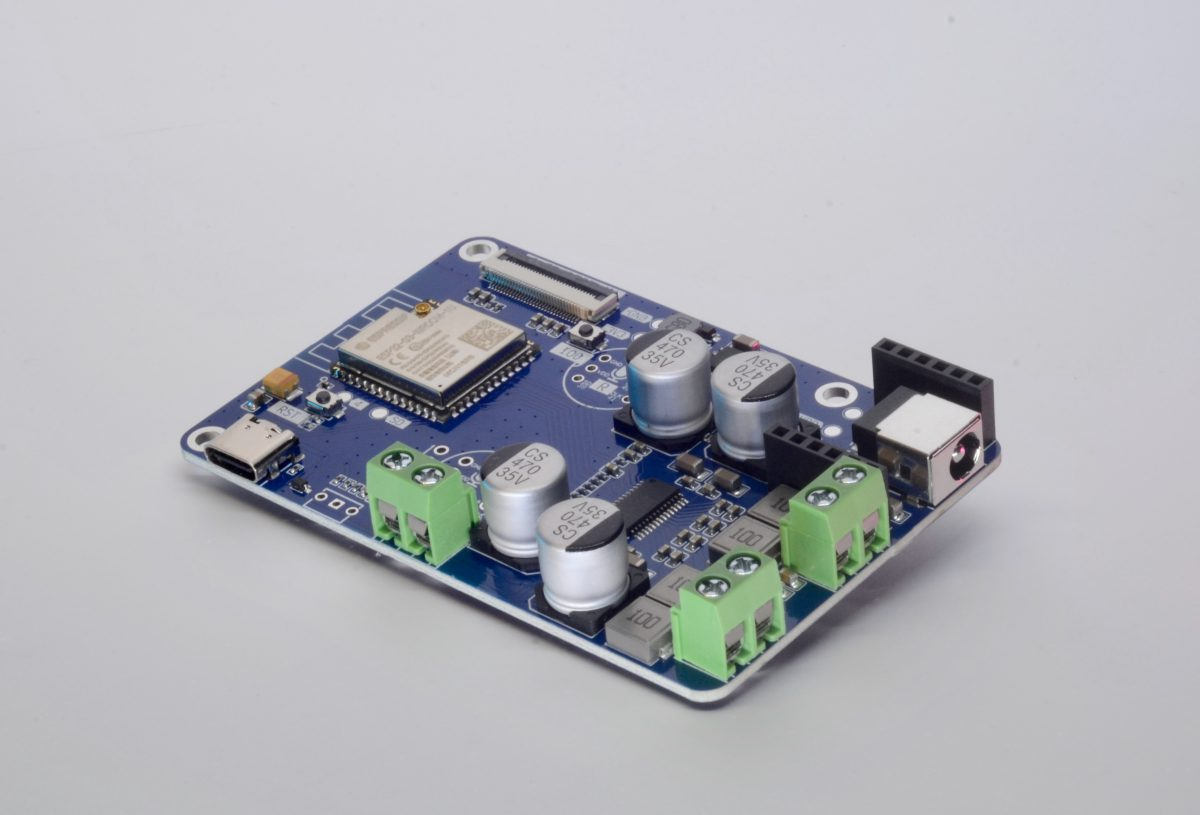
I have added a microphone (1$) which I’ll need to solder on, so I can potentially upgrade my Home Assistant to have voice support, but that is for another day.
For some reason, flashing via the web frontend and Chromium did not work for me, so I looked into it by using the bare tools.
At first, I wondered if there was already a program flashed onto it, so I connected the serial console:
$ pyserial-miniterm /dev/ttyUSB0 115200

rst:0x10 (RTCWDT_RTC_RESET),boot:0x13 (SPI_FAST_FLASH_BOOT)
configsip: 0, SPIWP:0xee
clk_drv:0x00,q_drv:0x00,d_drv:0x00,cs0_drv:0x00,hd_drv:0x00,wp_drv:0x00
mode:DIO, clock div:2
load:0x3fffeba4,len:4
load:0x4009f000,len:3248
entry 0x4009f574
�OHAI�ets Jul 29 2019 12:21:46

[...]
This output appeared in an endless loop, so I think there’s no software on it, yet.
Then, I downloaded the precompiled binaries for my platform from the linked Github repository and flashed them with esptool:
esptool --chip esp32 --port /dev/ttyUSB0 --baud 115200 write-flash \
  0x1000 louder-esp32-snapclient-2025-11-20-bootloader.bin \
  0x8000 louder-esp32-snapclient-2025-11-20-partition-table.bin \
  0xd000 louder-esp32-snapclient-2025-11-20-ota_data_initial.bin \
  0x10000 louder-esp32-snapclient-2025-11-20-snapclient.bin \
  0x370000 louder-esp32-snapclient-2025-11-20-storage.bin

Connected to ESP32 on /dev/ttyUSB0:
Chip type:          ESP32-D0WD-V3 (revision v3.1)
Features:           Wi-Fi, BT, Dual Core + LP Core, 240MHz, Vref calibration in eFuse, Coding Scheme None
Crystal frequency:  40MHz
MAC:                <mac-address>

Stub flasher running.

Configuring flash size...
Flash will be erased from 0x00001000 to 0x00007fff...
Flash will be erased from 0x00008000 to 0x00008fff...
Flash will be erased from 0x0000d000 to 0x0000efff...
Flash will be erased from 0x00010000 to 0x0012dfff...
Flash will be erased from 0x00370000 to 0x003fffff...
Wrote 28464 bytes (17805 compressed) at 0x00001000 in 1.9 seconds (120.3 kbit/s).
Hash of data verified.
Wrote 3072 bytes (145 compressed) at 0x00008000 in 0.0 seconds (803.4 kbit/s).
Hash of data verified.
Wrote 8192 bytes (31 compressed) at 0x0000d000 in 0.1 seconds (1006.8 kbit/s).
Hash of data verified.
Wrote 1168448 bytes (790027 compressed) at 0x00010000 in 72.8 seconds (128.4 kbit/s).
Hash of data verified.
Wrote 589824 bytes (41810 compressed) at 0x00370000 in 5.9 seconds (799.6 kbit/s).
Hash of data verified.

Hard resetting via RTS pin...
And that went pretty smoothly (be sure to double check whether your USB-C cable actually is good enough to support data!).
Now I observed the output of the esp32:
$ pyserial-miniterm /dev/ttyUSB0 115200
--- Miniterm on /dev/ttyUSB0  115200,8,N,1 ---
--- Quit: Ctrl+] | Menu: Ctrl+T | Help: Ctrl+T followed by Ctrl+H ---
… but nothing showed up - until I pressed the reboot button. Then, in a short rush lines appeared and I could see that it has indeed worked! Now, it waited for WiFi credentials with IMPROV. Wifi-improv is a new protocol to provide wifi credentials to your embedded device. Last time I was working with esps, the default workflow was for the device to open up a free wifi with a landing page where you could enter credentials. Nowaways, the esphome project has established a better way to accomplish this first use provision:
␛[0;32mI (29) boot: ESP-IDF v5.1.1 2nd stage bootloader␛[0m
␛[0;32mI (29) boot: compile time Nov 20 2025 07:44:50␛[0m
␛[0;32mI (29) boot: Multicore bootloader␛[0m
␛[0;32mI (34) boot: chip revision: v3.1␛[0m

[...]

␛[0;32mI (1506) phy_init: phy_version 4670,719f9f6,Feb 18 2021,17:07:07␛[0m
␛[0;32mI (1602) WIFI: Starting provisioning␛[0m
␛[0;32mI (1602) IMPROV: Installing UART0 driver for Improv␛[0m
Again, this could be done with a Chromium browser, but it did not work for me. I found the command-line client improv-setup for this, which needed to be compiled first (cargo build). Then, I was able to run:
$ target/debug/improv-setup device /dev/ttyUSB0 scan
<wifi1>                     -81   secure
<wifi2>                     -82   secure
Error: Couldn't receive any improv packet

Caused by:
    0: Failed to receive improv packet bytes
    1: Failed to fetch more data, timed out

$ target/debug/improv-setup device /dev/ttyUSB0 connect <ssid> <wifi-secret> --baud-rate 115200
This brought esp32 into my wifi. From there, it found the snapcast server in the same network by mDNS discovery, and connected to it. New entities were created in Home Assistant, so I could already control it just as all the other RPi based clients in my network:
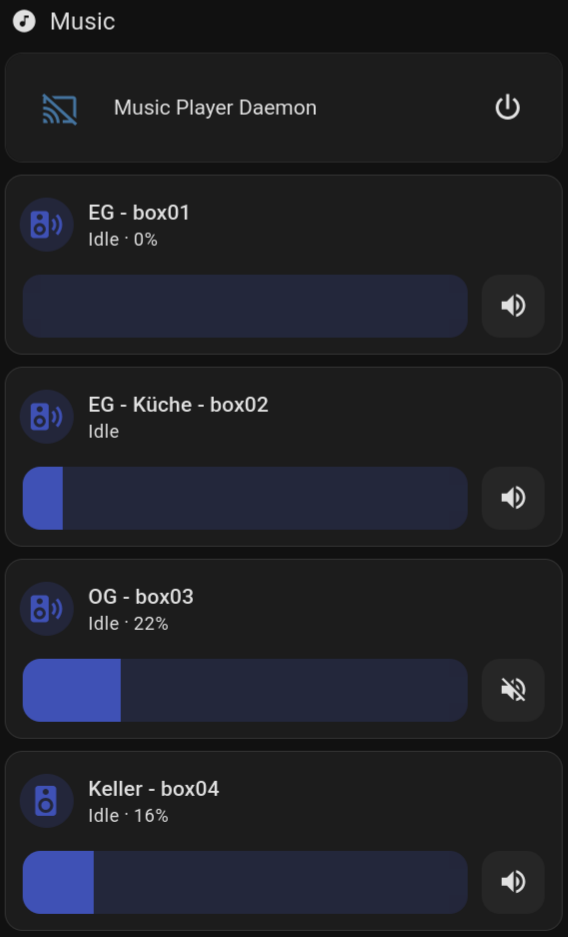
Snapcast widgets in my Home Assistant
Keller is the new device! Finally I can listen to music at my workbench in the cellar :-)!